Sophie Bee on AI Workflow Support
 David Zenler
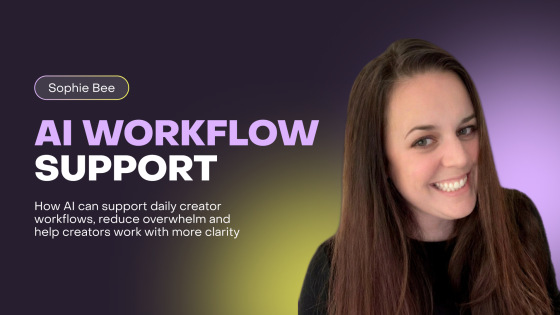
Sophie Bee shows how AI can support daily creator workflows, reduce overwhelm and help creators work with more clarity.
Running a creator business can feel like holding too many tabs open in your brain.
There is content to plan.
Emails to write.
Students to support.
Offers to improve.
Questions to answer.
Ideas to organise.
Admin to finish.
And somewhere in the middle of all that, you are supposed to keep being creative.
That is a lot.
This is why Sophie Bee’s session, AI Support for Daily Workflow, is such a useful spotlight inside the Future of AI for Course Creators Summit 2026.
Because for many course creators, membership owners, coaches and digital business owners, the biggest AI opportunity is not some dramatic future shift.
It is making everyday work feel lighter.
More organised.
More intentional.
More manageable.
Quick answer: Sophie Bee on AI Workflow Support for Creators explains how to sophie Bee shows how AI can support daily creator workflows, reduce overwhelm and help course creators work with more clarity.
Why Daily Workflow Matters for Course Creators
A creator business is not built from one big task.
It is built from hundreds of small ones.
Writing the email.
Planning the post.
Replying to the question.
Updating the lesson.
Checking the page.
Creating the checklist.
Following up with the student.
Preparing for the live session.
None of these tasks may look huge on their own.
But together, they can become overwhelming.
That is where AI workflow support becomes valuable.
AI can help creators organise the messy middle of the business.
Not by taking over.
Not by making all the decisions.
But by giving structure to the work that often feels scattered.
Think again if you believe AI is only useful for creating content.
For many creators, AI is just as useful for managing the thinking around the content.
It can help you decide what matters, what needs doing next and how to move forward without starting from zero every time.
AI Can Help Reduce Creator Overwhelm
Overwhelm often comes from unclear tasks.
You know you need to “work on marketing”.
But what does that mean today?
Write an email?
Plan a launch?
Create social posts?
Update the sales page?
Review analytics?
Repurpose a webinar?
The task feels too broad, so you delay it.
AI can help break broad tasks into practical next steps.
For example, instead of sitting with the vague thought “I need to promote my course”, you could ask AI to help you turn that into a simple weekly action plan.
It might help you identify the next email, the next blog topic, the next social post, the next audience question to answer and the next small improvement to make on your sales page.
That is useful.
Not because AI knows your business better than you.
It doesn’t.
But because it can help you get out of the fog.
And sometimes that is exactly what a creator needs.
AI as a Daily Business Assistant
A helpful way to think about AI is as a daily business assistant.
Not a replacement for your judgement.
Not a magic button.
An assistant.
One that can help you draft, summarise, organise, simplify and prioritise.
You can use AI to prepare meeting notes, turn messy ideas into clear tasks, summarise customer feedback, draft first versions of emails, create checklists, plan content themes and organise course updates.
This is simple to do.
The key is to make AI part of your workflow, not something you only open when you are desperate for a caption.
For example, at the start of the week, you could ask AI to help review your priorities.
At the end of a live session, you could ask it to turn your notes into follow-up actions.
After receiving repeated student questions, you could ask it to group the questions into themes.
Before creating content, you could ask it to connect your content ideas to your business goals.
This connects naturally with David Newton’s article on AI workflow for creators, where AI is positioned as a practical support system for everyday creator work.
Using AI Without Losing Control
One fear creators have is that AI will make their business feel less personal.
That fear is understandable.
If you use AI carelessly, it can make your content generic, your communication colder and your workflow more automated than helpful.
But that is not what Sophie’s session is about.
The goal is not to hand your business over to AI.
The goal is to use AI to support the parts of your workflow that drain time and attention.
You still decide what matters.
You still choose the message.
You still bring the judgement.
You still protect the relationship with your students, members and audience.
AI can help create a first draft.
You decide whether it is right.
AI can suggest a plan.
You decide what to follow.
AI can summarise feedback.
You decide what action to take.
That balance is important.
AI should make you feel more in control, not less.
AI for Content Planning and Daily Consistency
Content is one of the biggest workflow challenges for creators.
Not because creators have nothing to say.
Usually, they have too much to say.
The problem is organising it.
What should become a blog?
What should become an email?
What should go on LinkedIn?
What should be saved for a webinar?
What should become a course lesson?
AI can help turn scattered ideas into a content workflow.
For example, if you run a membership, AI can help you turn this month’s live session into a blog post, three emails, five social posts and a short member recap.
If you run a course, AI can help you turn student questions into content topics.
If you coach clients, AI can help you turn repeated lessons into educational posts.
This is where Sophie’s workflow topic connects well with Allie’s article on building an AI content manager for creators. AI becomes much more useful when it understands your content goals, your audience and your voice.
The result is not just more content.
It is more useful content with less mental friction.
AI Can Help with Admin Without Making Things Complicated
Admin is one of the hidden drains in a creator business.
It does not always feel important, but it eats time.
Writing reminders.
Creating summaries.
Organising tasks.
Following up.
Turning notes into actions.
Preparing agendas.
Creating simple templates.
Updating resources.
AI can help with these everyday jobs.
For example, you could use AI to turn a messy list of tasks into a clear priority list. You could ask it to create a follow-up email after a live class. You could use it to summarise a student feedback form. You could ask it to draft a weekly community update.
These are not flashy uses of AI.
But they are useful.
And useful matters more than flashy.
Remember, the goal is not to look advanced.
The goal is to run your business with more clarity and less unnecessary effort.
AI for Student and Member Support
Daily workflow is not only about your tasks.
It is also about supporting the people inside your courses and memberships.
Students ask questions.
Members need reminders.
People get stuck.
Some need encouragement.
Some need direction.
Some need help finding the right resource.
AI can help organise that support.
It can turn common questions into FAQs.
It can create simple resource guides.
It can summarise live sessions.
It can help draft onboarding messages.
It can help you identify where students may be confused.
This connects naturally with Gemma Went’s article on AI inside memberships, because membership and course support becomes stronger when AI helps learners find answers and take action.
But the human side still matters.
AI should support the relationship.
It should not replace care, encouragement or personal judgement.
Used well, it can help you be more available and more organised without burning yourself out.
AI Can Help You Turn Ideas Into Action
Creators often have more ideas than they can implement.
A new course idea.
A workshop idea.
A podcast topic.
A lead magnet.
A webinar theme.
A community challenge.
A better onboarding sequence.
A content series.
The problem is not the lack of ideas.
It is turning ideas into a clear next step.
AI can help.
You can give AI a rough idea and ask it to turn it into an action plan.
For example:
“I want to create a five-day email challenge for course creators who are stuck choosing their course topic. Help me map the daily theme, email subject, main teaching point and simple action step.”
That kind of prompt can turn a vague idea into something usable quickly.
Then you refine it.
You add your examples.
You adjust the tone.
You make sure it fits your audience.
This is where AI supports momentum.
It helps you move from thinking about the idea to shaping the idea.
AI for Better Weekly Planning
Weekly planning is a simple but powerful place to use AI.
At the start of the week, you could give AI your main goals and ask it to help break them into realistic tasks.
For example, your goals might be:
Launch a new workshop.
Send two emails.
Create three LinkedIn posts.
Prepare a live session.
Improve one course lesson.
Instead of carrying all of that in your head, AI can help you organise the tasks by priority and sequence.
It can also help you identify what can be reused.
Maybe the workshop topic can become a blog post.
Maybe the live session can become an email.
Maybe the LinkedIn posts can come from the same theme.
This is where AI starts saving real time.
Not because it does your whole week for you.
But because it helps you see how the pieces connect.
AI Workflow Support and Business Growth
Workflow might sound like a behind-the-scenes topic.
But it has a direct impact on growth.
When your workflow is messy, marketing gets delayed.
Content becomes inconsistent.
Student support becomes reactive.
Course updates get postponed.
Launches feel rushed.
Ideas stay unfinished.
When your workflow improves, everything gets a little easier.
You publish more consistently.
You follow up faster.
You use content more effectively.
You respond to students with more clarity.
You make better use of your time.
This connects with Billy Wigley’s article on AI business growth, because AI can change a business through practical improvements, not just big dramatic shifts.
Small workflow improvements compound.
One saved hour each week matters.
One clearer process matters.
One better support system matters.
One reusable content workflow matters.
Over time, these changes make the business feel much more manageable.
What Creators Should Avoid with AI Workflow
AI workflow support is useful, but there are a few traps to avoid.
Do not automate things before you understand them.
Do not create complicated systems you will never use.
Do not let AI add more tasks than it removes.
Do not accept generic outputs without reviewing them.
Do not use AI to avoid making decisions.
AI should simplify your workflow.
If it makes your business feel more complicated, something is wrong.
Start small.
Choose one repeated task.
Make that easier first.
Then move to the next.
This is not an overnight success.
You do not need to build the perfect AI-powered business system in one weekend.
You just need to make the next useful improvement.
Practical Ways Sophie Bee’s Session Can Help Creators
Sophie’s session is useful because it brings AI back to the everyday reality of running a creator business.
It helps creators think about AI as something practical and supportive.
Not just something for big launches.
Not just something for content.
Not just something for tech-focused people.
AI can support the daily rhythm of your business.
Planning.
Writing.
Organising.
Following up.
Supporting.
Repurposing.
Reviewing.
Improving.
This is the kind of AI use that can make a creator feel calmer and more capable.
And sometimes that is the biggest win.
FAQs About AI Workflow Support for Creators
How can AI support daily workflow for creators?
AI can support daily workflow by helping creators plan tasks, organise ideas, draft content, summarise notes, create checklists, repurpose content, prepare emails and manage repeated admin tasks.
Can AI reduce overwhelm for course creators?
Yes. AI can reduce overwhelm by turning broad, messy tasks into clear next steps. It can help creators prioritise, organise and create structure around work that feels scattered.
Is AI workflow support only for content creation?
No. AI workflow support can help with admin, student support, planning, onboarding, feedback summaries, launch preparation, course updates and business organisation.
How can creators use AI without losing control?
Creators can use AI without losing control by treating it as an assistant, not a decision-maker. AI can suggest, draft and organise, but the creator should review, edit and decide what is right.
What is the best way to start using AI in daily workflow?
The best way to start is to choose one repeated task that feels slow or messy. Use AI to make that task easier, then build from there. Good starting points include weekly planning, content repurposing or email drafting.
Can AI help with student support?
Yes. AI can help with student support by creating FAQs, summarising lessons, drafting onboarding messages, organising common questions and helping students find relevant resources faster.
Final Thoughts
Sophie Bee’s session, AI Support for Daily Workflow, is important because it focuses on the part of AI creators feel every day.
The workload.
The decisions.
The repeated tasks.
The messy middle.
AI does not need to take over your business to be useful.
It can simply help you work with more clarity.
It can help you turn ideas into action.
It can help you reduce admin.
It can help you support students more consistently.
It can help you create content without starting from scratch every time.
Used well, AI becomes a calm, practical layer of support inside your creator business.
Not the boss.
Not the brand.
Not the teacher.
Just a useful assistant that helps you keep moving.
Join the Future of AI for Course Creators Summit 2026 to learn how Sophie Bee and other expert speakers are helping creators use AI in practical, human and business-focused ways.
Want to build, sell and grow your online courses, memberships and communities from one place?
Try Zenler Risk Free for 30 Days and unlock the Accelerator Program that guides you step by step toward success.
https://www.newzenler.com/register
Related AI workflow resources
Use these Zenler guides to connect AI ideas with practical course business workflows:
- How course creators can use AI agents without losing their brand voice
- AI course launch checklist for New Zenler creators
- AI agents for course creators: practical workflows and examples
Categories: : AI for Course Creators
Copyright © 2026 Zenler. All rights reserved.
Terms | Privacy Policy | Cookie Policy | Support
